Overview
When moving countries, you might want to know where are you required to update the information regarding your new location, to make sure there are no issues with your payments or scheduling.
Solution
You should update the information of your new address in your Crossover profile and your assigned payment platform. Please follow these steps:
To update your Crossover profile:
- Log in to the Crossover portal.
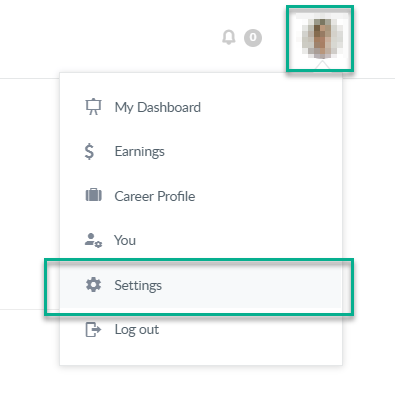
- Click on your avatar picture, on the upper right corner of the page.
- A floating menu will appear, click on the Settings button.
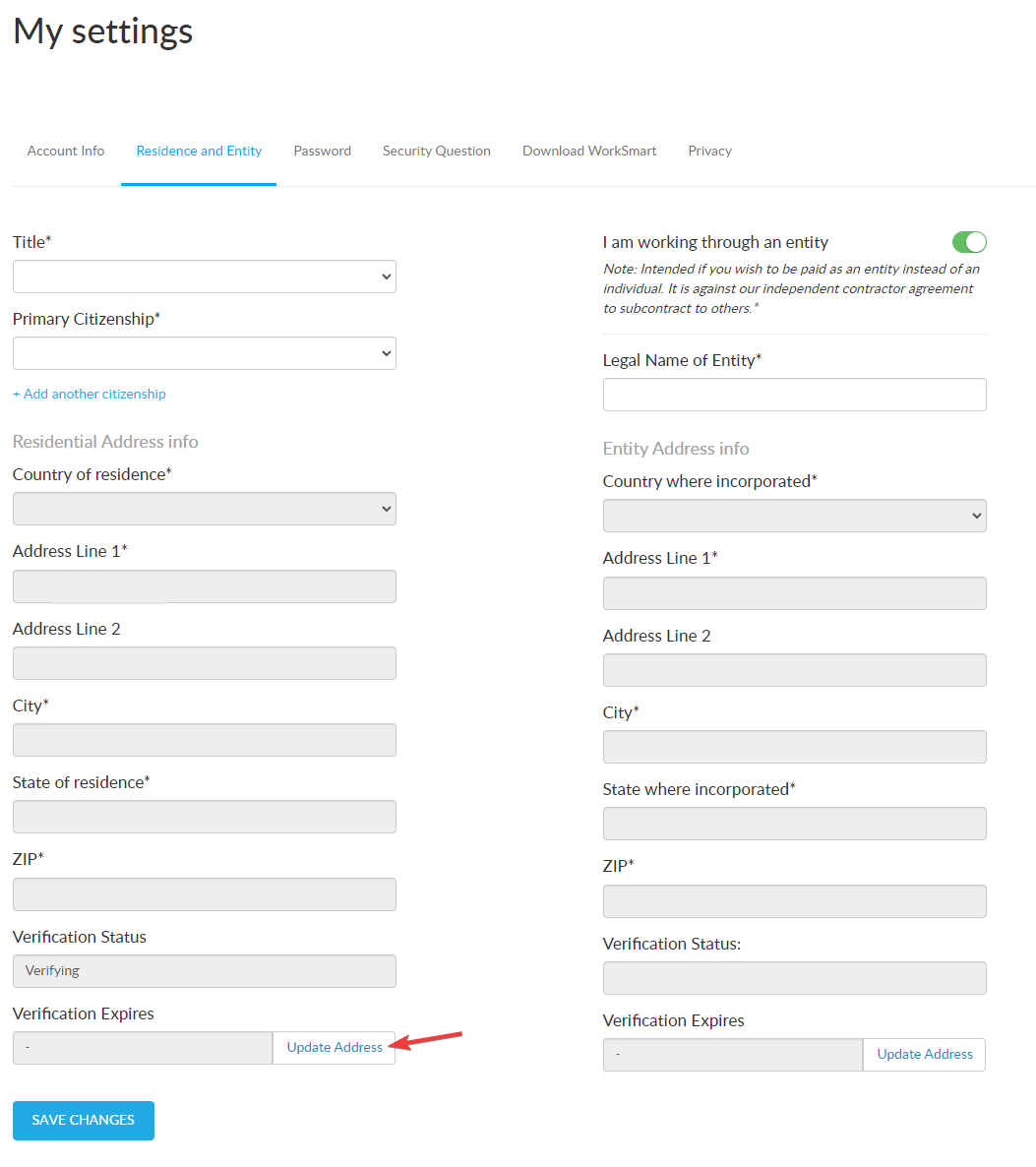
- Select the Residence and Entity tab at the top, and click the "Update Address" button to begin the process :
- Fill out the form with your updated address and provide an address verification document.
- Our team will review the document and your Crossover address will update automatically once verified.
To update your Payment platform information:
You should also update your new address in your payment platform, Payoneer, this is required to make sure your payments are processed without issues and to ensure your tax forms are properly generated if you require them.
- Payoneer: Follow this article on Payoneer's Support Center.
Notes
For any additional documents required by your payment platform, you will be contacted by their support team, so periodically check the email you provided them when creating your account.
Priyanka Bhotika
Comments